10 Linux Tools That Make the Terminal More Convenient
When you look at a well-tuned Linux setup of an experienced user, it seems like it's all about nice wallpapers and a theme. In reality, convenience is built from small things: a file deleted by mistake can be restored, the command you need from history is found in a second, a process on a busy port is killed with one command, and programs and searches are launched from the keyboard.
This list contains Linux tools I've added to my own environment or tested closely. Almost all of them run in the terminal, most are written in Rust and Go, and each has limitations that are better known in advance.
rmt: deleting to a trash bin instead of an irreversible rm
A classic situation: you run rm on a file, a second later you realize it was the wrong file, and remember you never committed it to git. Plain rm gives you no chance — the file doesn't go to any trash bin.
rmt is a Rust utility that moves files into its own trash instead of deleting them:
rmt hello.txt              # move a file to the trash
rmt folder test.txt *.sh   # several files and folders at once
rmt --ti                   # information about the trash contents
rmt --td                   # trash interface: restore or delete items
rmt --tf                   # empty the trash
I plan to put rmt in place of rm with an alias. In fish it's a line in ~/.config/fish/config.fish:
alias rm rmt
alias cat bat
An important caveat: an alias only works in an interactive shell. Scripts will keep calling the real rm, and that's the right behavior — swapping a system command for scripts is dangerous.
Atuin: command history with search and sync
Atuin replaces the standard shell history with a database. Every command is stored together with its directory, time and exit code, and history search opens in a separate interface on the up arrow or Ctrl+R.
Where it really helps: I have a long ffmpeg command for compressing video that I keep forgetting and used to look up in my Obsidian notes. With Atuin it's enough to type ffmpeg and a couple of words from the middle of the command, like preset slow — the line comes up immediately.
Useful commands:
atuin import auto      # import existing bash/zsh/fish history
atuin history list     # list commands
atuin stats            # the most frequent commands
Atuin can sync between machines (atuin register, atuin login, atuin sync): history is encrypted on the client and sent to a server. I use Atuin on a single machine and don't want to send my command history to someone else's server, so I stuck with a local import. If you need sync, you can host the Atuin server yourself.
Devzat: chat over SSH
Devzat is an SSH server that opens a chat room instead of a command prompt. You can connect from any SSH client, including a phone:
ssh devzat.hackclub.com
ssh [email protected]       # pick a nickname on first login
ssh devzat.hackclub.com -p 443     # if the regular port is closed
What caught my attention is the idea: SSH is one of the basic things that administration can't work without, so a chat on your own server stays available when the usual messengers are not. You build your own instance from Go sources, and by default it listens on port 2221. Besides messages and images there are extras like mini-games, but the main point is a simple chat you can bring up in minutes.
otter-launcher: a launcher for people who live on the keyboard
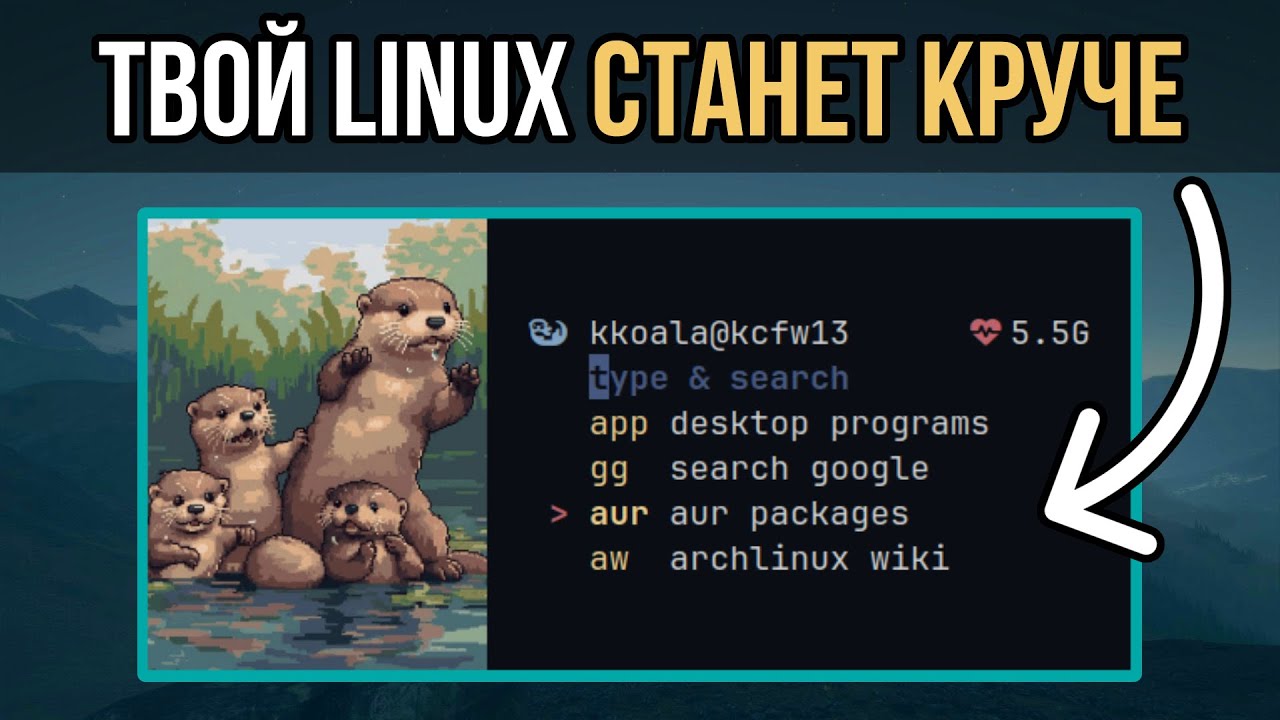
otter-launcher is a terminal launcher in Rust for users of tiling window managers. It works through prefix modules:
gg query— Google search;aw,pac,aur— search the Arch Wiki, packages and the AUR;app— launch applications;sh— run a command;po— power menu.
Modules are defined in a TOML config, so you can add your own: running scripts, controlling Bluetooth, opening sites you often need. It has vi and emacs key modes and can show images in the terminal. The downside is that there's no package in most distributions: on Arch it's installed from the AUR (paru -S otter-launcher), otherwise you build it with cargo build --release.
killport: free a port with one command
A familiar situation: you start a dev server, and the port is already taken by a process whose name you don't remember. Usually that means searching with lsof or ss, then kill. killport does it all with one command:
killport 8080                  # kill whatever listens on port 8080
killport 3000 8080 9090        # several ports
killport -s sigterm 8080       # graceful shutdown instead of SIGKILL
By default it sends SIGKILL, so the process won't get a chance to save data. For a database or anything with state, it's better to start with -s sigterm.
lsd and eza: readable output instead of ls
lsd is a Rust replacement for ls with icons by file type, colors and human-readable sizes. Directories, Bash scripts, Python and Java files are immediately distinguishable, and lsd -la shows permissions and sizes in a readable form instead of raw bytes. Colors are configurable: for example, I made permissions a single color — it's calmer for me.
eza, also written in Rust, gives a similar result. Both can show a tree view (--tree), and eza also has a column with the files' git status (eza -l --git). Pick whichever you like. In both cases icons require a font from the Nerd Fonts collection.
Noisy and Urusai: noise in your ISP's logs
Your ISP sees which domains you connect to, even if the content is encrypted. Noisy and its modern Go implementation Urusai generate background HTTP and DNS traffic: they crawl random sites from starting URLs, follow links and rotate user agents. Your real visits get lost in that noise.
Noisy hasn't been updated in a long time; Urusai is actively maintained and runs on Linux, macOS and Windows, including in Docker:
docker run calpa/urusai
./urusai --config config.json   # your own start sites, blacklist, intervals
To be honest about the limits: this isn't anonymity and doesn't replace a VPN or Tor. Noise makes analysis harder but doesn't hide traffic, and it consumes bandwidth and machine resources.
Bashfuscator: what Bash obfuscation looks like
Bashfuscator turns a readable command or script into an unreadable but working sequence. The tool was built for security research: it helps you understand how malicious commands are hidden and check whether your defenses catch them. You can't reliably hide the logic of your own script this way — obfuscation only slows down reading, and running it under a debugger reveals the commands.
amazing-qr and cpufetch: two small extras
amazing-qr creates QR codes straight from the terminal, including on top of a picture or an animated GIF:
pip install amzqr
amzqr https://zproger-school.com -p logo.png -c -n qr.png
cpufetch complements fastfetch: it neatly prints the CPU model, microarchitecture, cores, frequencies and caches for Intel, AMD and ARM. It works on Linux, macOS, Windows and FreeBSD.
Where to start
| Task | Tool |
|---|---|
| Don't lose files after deleting | rmt |
| Find old commands quickly | Atuin |
| Free up ports | killport |
| Readable file listings | lsd or eza |
| Launch everything from the keyboard | otter-launcher |
| A chat on your own server | Devzat |
I'd start with Atuin and killport: you feel the effect on day one. If you're choosing file search utilities, see the separate breakdown of fd instead of find, and for keeping an eye on load, the article on Linux monitoring. Graphical programs for everyday work are collected in 10 useful Linux programs.