NixOS After Arch Linux: What a Declarative System Gives You
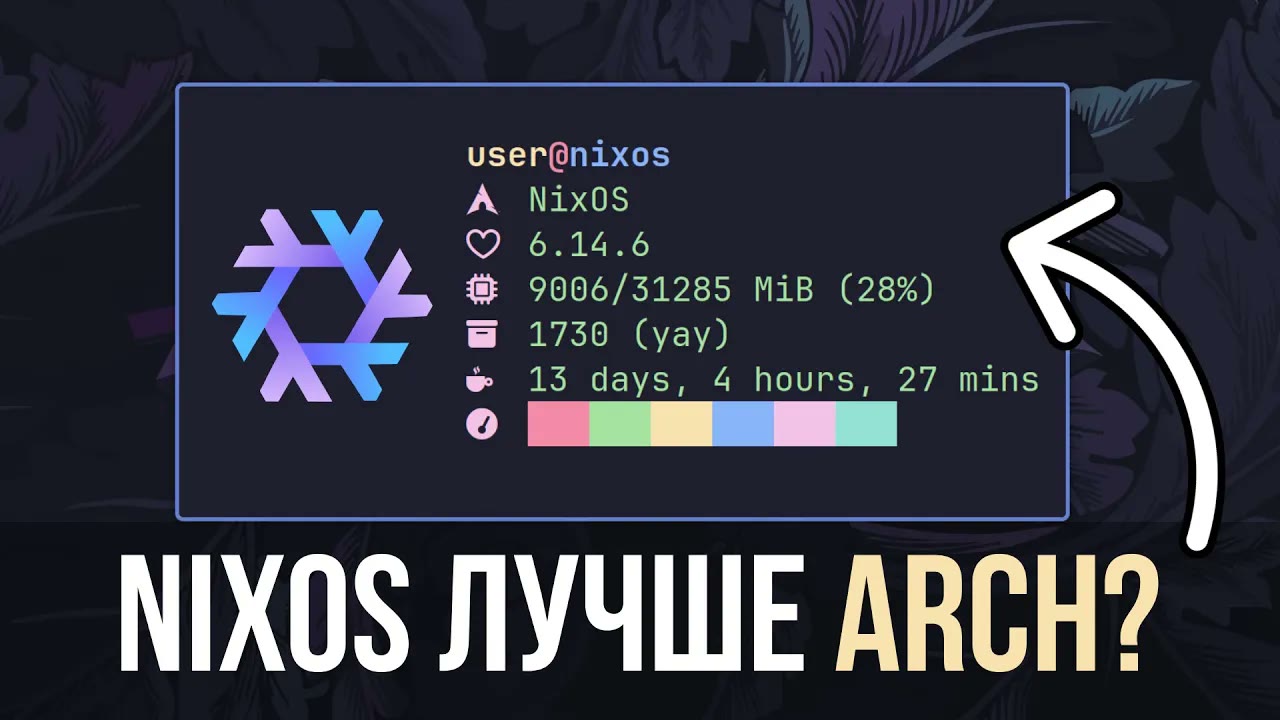
Under every one of my Linux videos, sooner or later a comment appears: "switch to NixOS." For a long time I didn't understand why. I've been on Arch Linux for more than two years, updating constantly without breakages. After Manjaro, where the system broke regularly, Arch felt like the final stop: the huge Arch Wiki, tons of packages, you can even build your own kernel.
Everything changed once I understood the core idea of NixOS. It isn't "just another distribution" but a different way to manage a system: you describe what it should be, and NixOS brings it to that state itself. Below is what this gives in practice, how NixOS differs from Arch Linux and where its weak spots are.
The problem NixOS solved for me
I built my own BSPWM desktop for myself. When thousands of comments started asking me to share the configs, I published them with a warning: this is a solution for experienced Arch users, and it has to be adjusted to your hardware.
Many people took it as a ready-made system. The questions poured in: black screen, no startx command, no workspaces. So I wrote a builder script: system update, dependency installation, building my tools, creating folders, copying configs, starting MPD, NetworkManager and Bluetooth services, switching the shell to fish, granting permissions, fixing an Alacritty error. Every step was my own code.
Code like that can't work everywhere. A package gets renamed — an important dependency isn't installed, and someone gets a black screen. Different hardware — different errors. Maintaining an imperative script for every case is impossible.
The declarative approach: "what", not "how"
In NixOS the system is described in a configuration written in the Nix language. I don't write "copy the file, set permissions, enable the service". I write what I need, and NixOS performs all the steps:
{ pkgs, ... }:
{
  hardware.bluetooth.enable = true;
  services.blueman.enable = true;

  programs.fish.enable = true;
  users.users.zproger = {
    isNormalUser = true;
    shell = pkgs.fish;
    extraGroups = [ "wheel" "video" "docker" ];
  };

  environment.systemPackages = with pkgs; [ firefox git alacritty ];
}
Everything is applied with one command:
sudo nixos-rebuild switch
Note the video group: its absence caused that very black screen for some users of my desktop setup. In NixOS such things are set strictly in the configuration and don't get lost between installs.
Fine-grained control over the system
Everything you configure by hand or via the Arch Wiki on Arch becomes an option in NixOS. For example, a firewall with allowed ports, a port range and ping disabled:
networking.firewall = {
  enable = true;
  allowedTCPPorts = [ 22 ];
  allowedTCPPortRanges = [ { from = 8000; to = 8010; } ];
  allowPing = false;
};
Weekly cleanup of old packages, which I'd previously write as a separate script and timer:
nix.gc = {
  automatic = true;
  dates = "weekly";
  options = "--delete-older-than 14d";
};
Virtual machines are a pain on any system: the libvirt daemon isn't running, the right groups are missing, the clipboard with the guest doesn't work. In NixOS it's two lines, and everything is ready on any machine:
virtualisation.libvirtd.enable = true;
programs.virt-manager.enable = true;
Inside a NixOS guest, a shared clipboard and resolution adjustment are enabled with services.spice-vdagentd.enable = true;.
The bootloader, drivers, Docker, CPU microcode, environment variables, MPD, file manager plugins and even OBS Studio with a virtual camera are described the same way:
programs.obs-studio = {
  enable = true;
  enableVirtualCamera = true;
  # plugins = with pkgs.obs-studio-plugins; [ ... ];
};
How to find packages and options
The main tool is search.nixos.org. The Packages tab finds programs; the Options tab lists every configuration setting with its type, default value and examples. Type firewall and you get a list of options and ready code snippets to paste.
You can try a program without installing it into the system at all. nix-shell opens a temporary shell with the package; after you leave it, the program is no longer available:
nix-shell -p firefox
# with flakes enabled:
nix shell nixpkgs#firefox
That's how I test utilities before adding them to the configuration.
One configuration, identical machines
This is why I'm moving my desktop setup to NixOS. The configuration is files in git. On a new computer I clone the repository, run the build and get the same system: the same programs, services, settings and plugins.
Compare that with Arch, where you first need a long manual system installation and then my builder on top. Here it's cloning the configs and one or two commands. Even disk partitioning and encryption can be described declaratively with the disko project.
Flakes: exact versions of everything
Flakes are a mechanism that pins the versions of all inputs in a flake.lock file. If I built a system with a specific nixpkgs revision, a year later the same flake builds the same system with the same program and library versions, until I update the lock file myself.
For my desktop setup this is the decisive advantage. My configs were written for specific program versions. Someone installs a fresh Arch, gets new packages, and something breaks. With flakes they get exactly the versions everything was tested on.
Flakes are enabled with one line:
nix.settings.experimental-features = [ "nix-command" "flakes" ];
Why NixOS is hard to break
Generations and rollback. Every system build creates a new generation, and all of them appear in the bootloader menu. If an update broke something, you simply pick the previous generation at boot or run:
sudo nixos-rebuild switch --rollback
Package isolation. In classic distributions programs share common libraries. If Firefox needs a newer library version and Chromium an older one, updating one can break the other. In NixOS each package lives in /nix/store under a hashed path and references exactly the dependencies it was built with. You can keep several versions of the same program at once, and they don't interfere with each other.
Arch is stable too if you're careful — it worked for me for years. But the NixOS model is safer by design, not by user discipline.
The downsides, honestly
- A high entry barrier. NixOS greatly improves convenience, but only after setup. You need to learn the Nix language and get used to describing almost everything, down to kernel modules, in the configuration rather than editing files in
/etc. - Different configs. Familiar program configs have to be translated into declarative form or wired up through Home Manager.
- Third-party binaries. A downloaded program that expects a regular Linux layout often won't run right away. There are solutions such as
programs.nix-ld.enable, but that's one more thing to understand. - Disk space. Old generations keep old package versions, so without automatic cleanup
/nix/storegrows quickly. - Scattered documentation. Some answers are in the official manual, some in the wiki, on the forum and in other people's configs.
Who NixOS is for
It's a fit if you tailor the system to yourself, maintain several machines, build your own desktop setup or are simply tired of restoring your environment after reinstalls. Then the time spent once pays off.
It's not a fit if you need a system that just works right after installation and you don't want to learn a new configuration language. In that case, stay on your familiar distribution with a clear conscience: I wrote about my own path from Windows to Linux in why I moved from Windows to Linux.
A good example of how NixOS removes manual setup is the browser: Firefox with its settings and extensions is described in the configuration and appears right after the build. More on that in Firefox setup: security, interface and LibreWolf. And if you're picking utilities for a new system, start with the list of 10 useful Linux programs.